Fall into
your data
The AI-native database manager. Ask the strange question, get a real query back.
curl -fsSL https://dbmx.app/install.sh | bashPaste into Terminal to install the latest version into Applications.
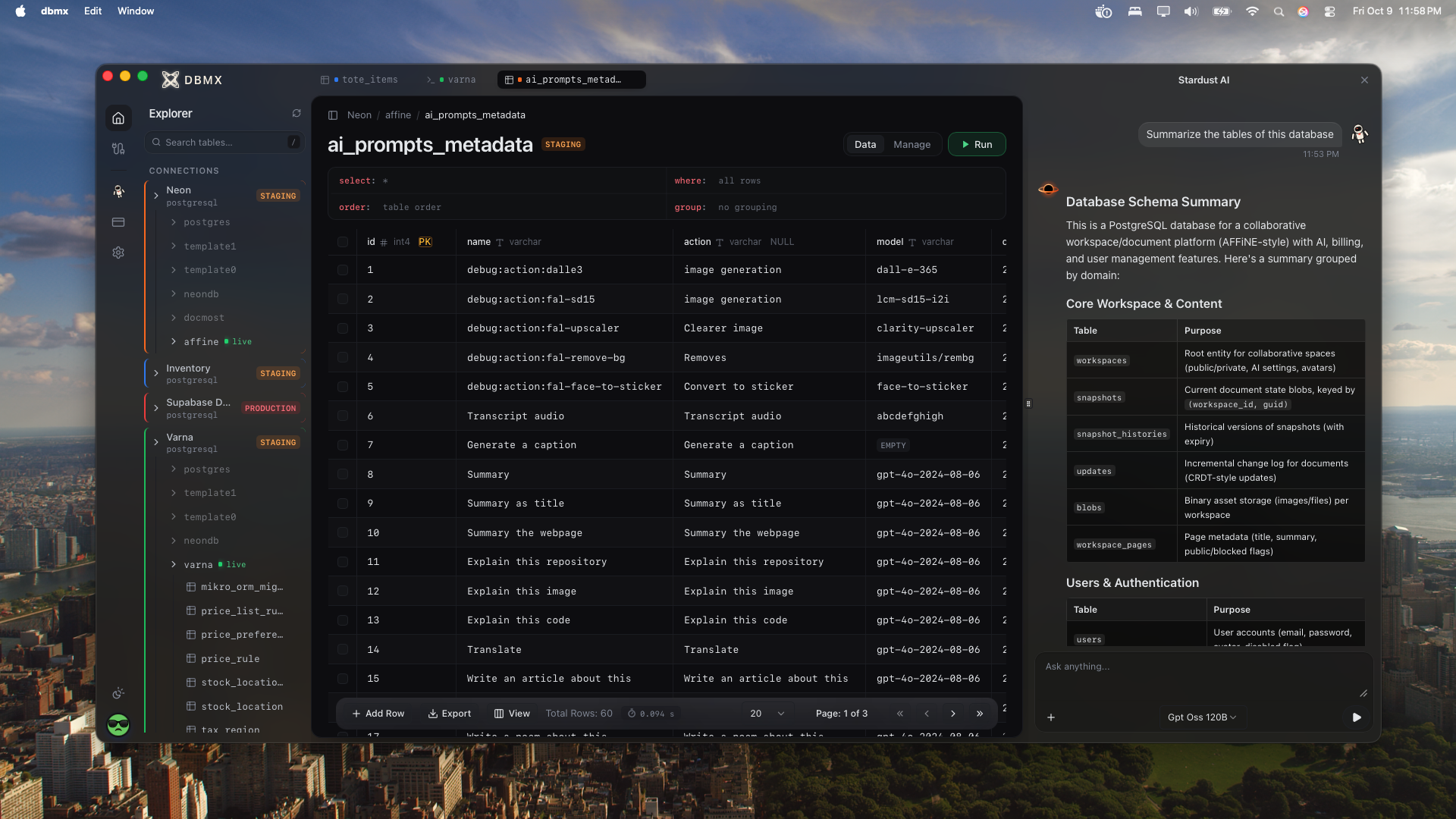
One client for the databases you run
- PostgreSQLAvailable now
- MySQLComing soon
- MongoDBComing soon
From connection string to answer
Three steps between a question about your data and a result you can act on.
New connection
PostgreSQLHost
db.internal.acme.io
Port
5432
SSL mode
verify-full
Environment
production
Everything you reach for, in one window
An editor that knows your schema, a grid you can edit and an assistant that has read every table.
Stardust AI
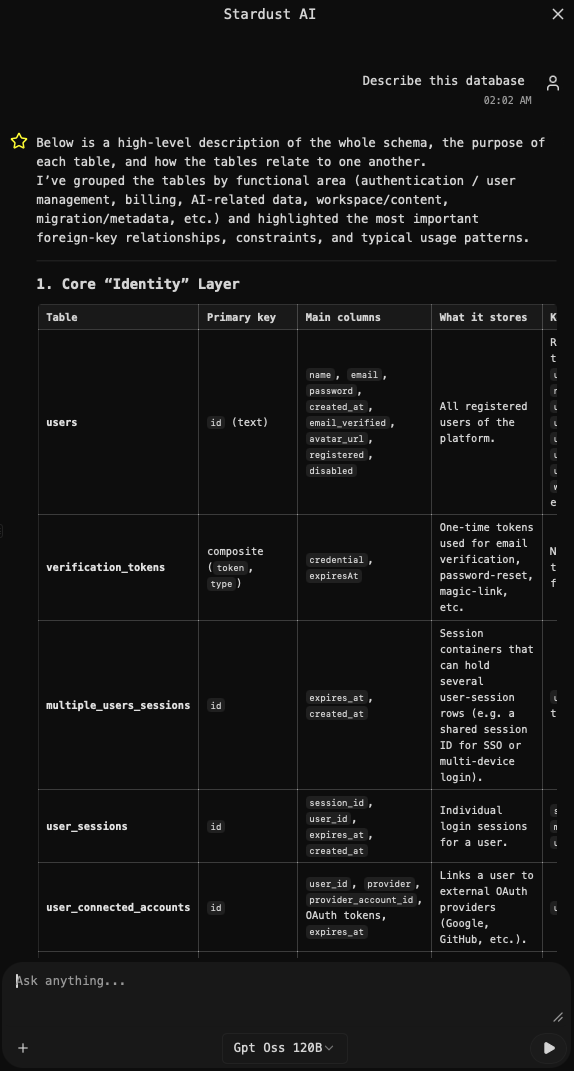
Ask in plain language and get SQL written against your actual schema. Explain a query, tune a slow one or sketch a new table. Use our models or bring your own key.
An editor that knows your tables
Built on Monaco, the editor behind VS Code, with autocomplete for tables and columns, one-key formatting and EXPLAIN on ⌘E.
- created_attimestamptz
- emailtext
- iduuid
- planplan_tier
Bring your own AI provider key
Start with the models that come with Stardust. When you want a specific provider, switch off Stardust models and add your own API key. Stardust then runs on your account, with the models you already pay for.
- Anthropic
- OpenAI
- Gemini
- DeepSeek
- Mistral
- Groq
LLM Manager
Enable Stardust AI
Text-to-SQL, explanations and tuning
Use Stardust models
Off: bring your own keys
- anthropic Key added
- openai
- gemini
- deepseek Key added
- mistral
- groq
Every connection, one window
Most clients give each database its own window. DBMX keeps all your connections in one sidebar, colour-tagged by environment, with several databases open at once. Staging and production sit side by side, and you never lose track of which is which.
Neonstaging
- neondb
- affine Connected
- users
- workspaces
- snapshots
Supabaseproduction
- postgres Connected
- orders
- customers
- invoices
Inventorylocal
- inventory Connected
- stock_location
- inventory_item
- tax_rate
- archive
Full CRUD in the table view
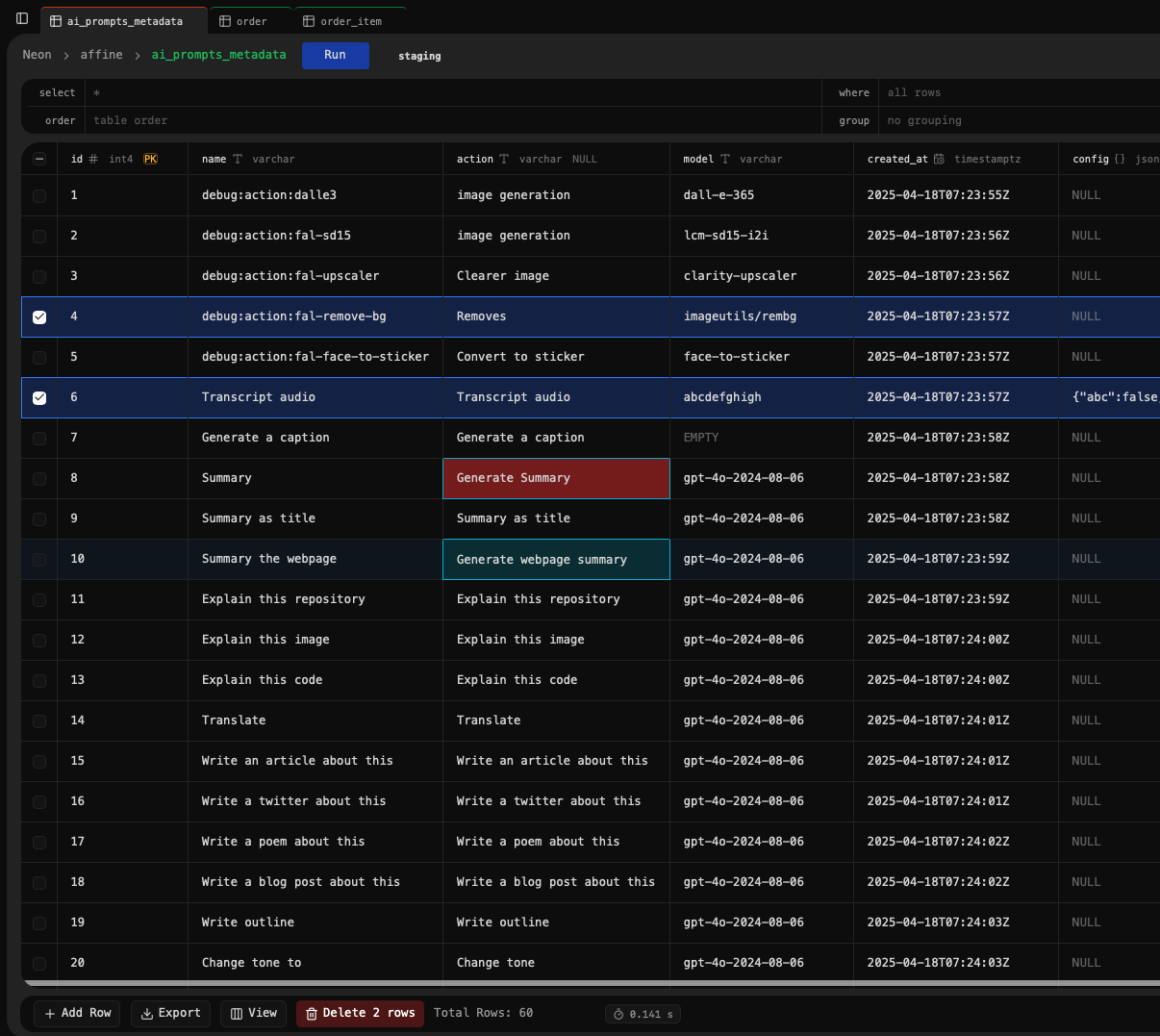
Open a table and work on it like a spreadsheet. No hand-written INSERT, UPDATE or DELETE needed.
- Create
- Add new rows from a form, column by column.
- Read
- Filter, sort and group with SELECT, WHERE, ORDER BY and GROUP BY fields above the grid.
- Update
- Edit any cell in place. Changes stay highlighted until you save with ⌘S or undo with Esc.
- Delete
- Tick the rows you want gone and remove them in one go.
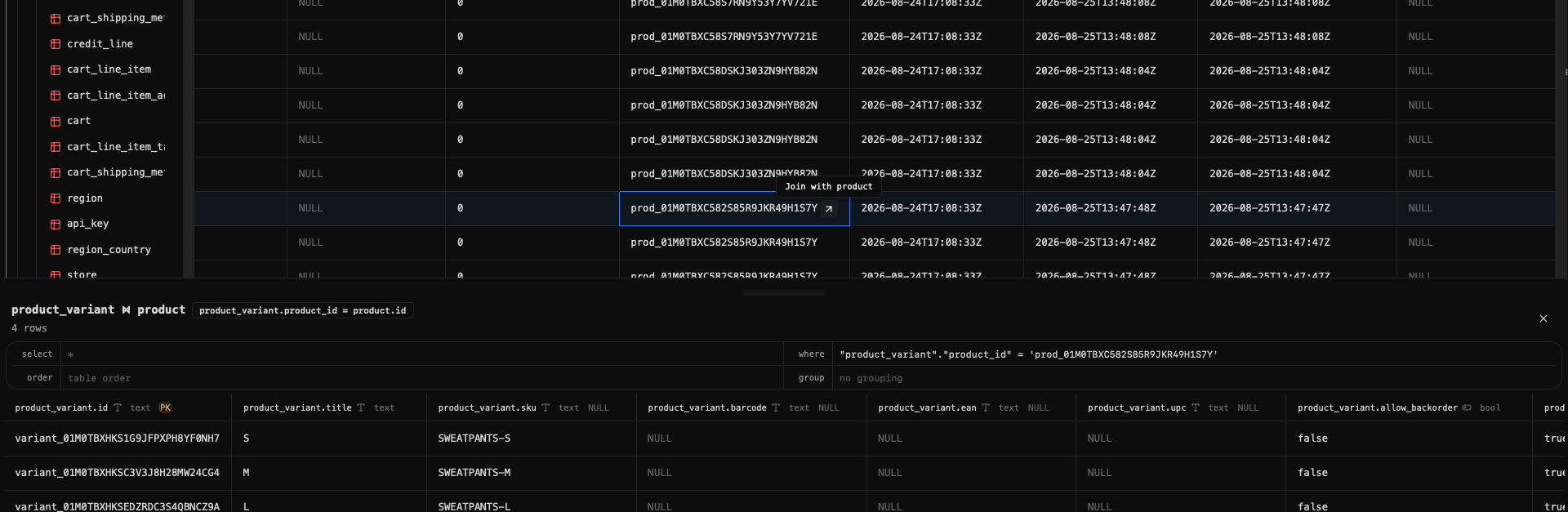
Follow foreign keys
Hover any foreign key and hit Join. The related rows open right below, so you can walk from a variant to its product, or an order to its customer, without writing a join.
Streaming results
Rows arrive as the database sends them, with a live timer and a cancel button for runaway queries.
History & saved queries
Every query you run is kept in history. Save the ones worth keeping with ⌘S.
Visual schema editor
Add and change columns, indexes and constraints. Changes apply in a single transaction.
CSV & JSON export
Export the result you are looking at, or a whole filtered table, in one step.
Built for the work you actually do
The everyday jobs of anyone who lives in a database, made shorter.
Debugging production
Find the row behind a bug report, follow its keys and see exactly what the app saw.
Learning a new schema
Ask Stardust what a table is for and how it joins, before you've read a single migration.
Ad-hoc analysis
Answer the question from the product meeting in a query, then export it to CSV.
Data fixes
Correct a bad value in the grid, review the change, then save it with ⌘S.
Schema changes
Add a column, an index or a constraint visually, applied in one transaction.
Slow query triage
Run EXPLAIN on ⌘E and have Stardust walk you through the plan and the fix.
Made to stay out of your way
Quick to open, quiet to use and careful with your data.
Native and light
A Go app on your system's own web view. No bundled browser, no waiting for it to wake up.
Tabs that remember
Queries, filters, history and your AI chat all survive a restart.
All connections in one place
Every server and database in one sidebar. No more juggling a window per connection.

Shortcuts
- Run query⌥↵
- Explain⌘E
- Format⌘⇧F
- Save query or edits⌘S
- History⌘H
- Command palette⌘P
Your connections stay local
Hosts, users and passwords live on your machine and are never sent to our servers.
Your keys or ours
Use Stardust's built-in models, or bring your own provider key.
Keyboard first
Run, explain, format and save without leaving the keys. ⌘P finds everything else.
Your database is none of our business
DBMX talks to your database directly from your machine. When you use AI, only what it needs to write good SQL goes along with your question.
Connections stay local
Connection details are stored on your machine and never sent to our servers.
AI sees structure, not rows
Stardust gets your table definitions and your question, never the data in them.
AI is opt-in
Stardust is off until you turn it on, and you can bring your own provider key.
A desktop database client with a schema-aware SQL editor, an editable data grid and Stardust, an AI assistant that knows your schema.
Bring your database.Stardust brings the SQL.
Available now for macOS. Windows and Linux are on the way.
curl -fsSL https://dbmx.app/install.sh | bashPaste into Terminal to install the latest version into Applications.